01
Public request intake
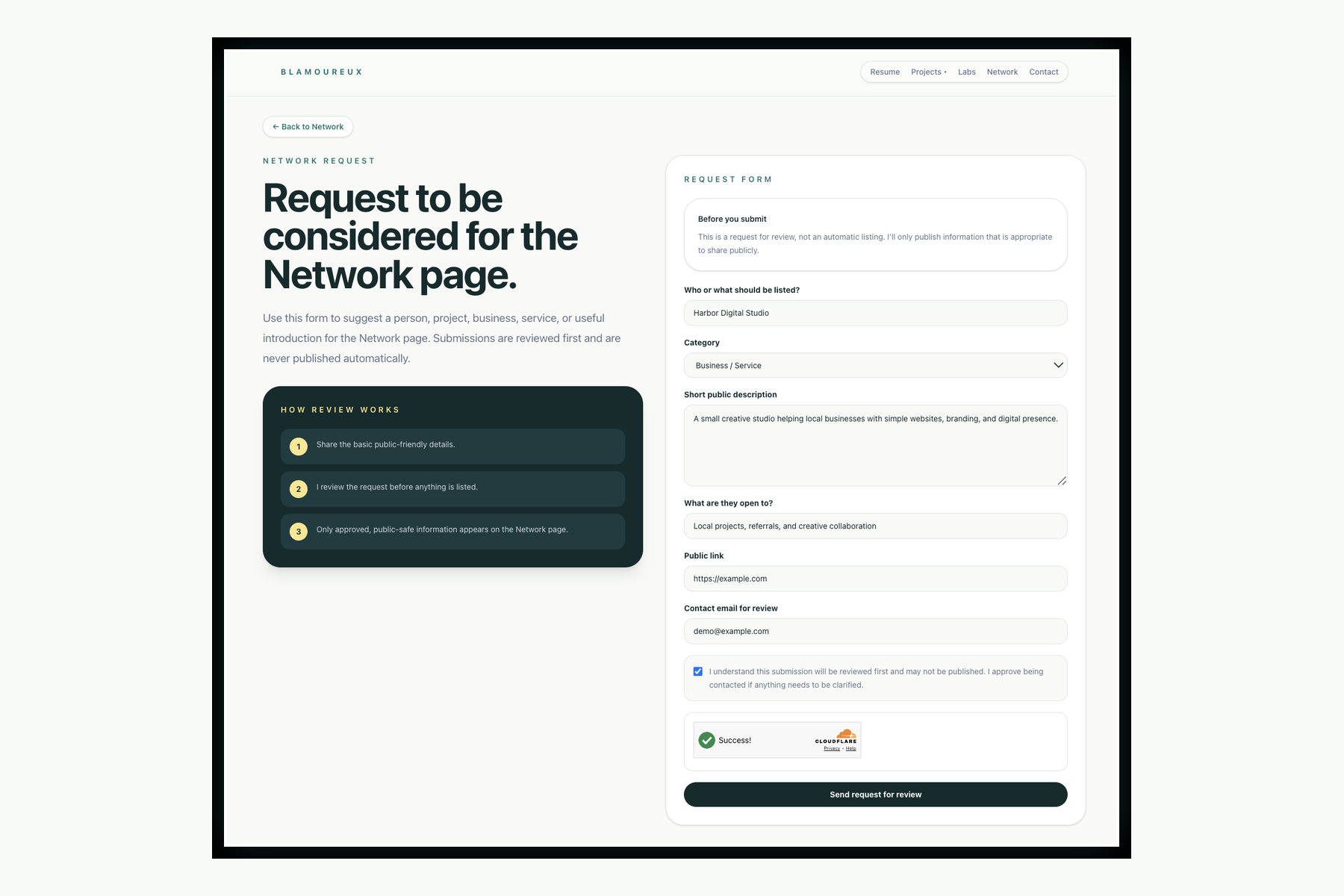
Step 01A visitor submits a Network request through a public-safe form designed for people, projects, services, small businesses, creative work, and useful introductions.
Workflow Case Study
This case study shows how a public Network request becomes a controlled review process. A person submits a request, the site checks it, stores it as pending, notifies the reviewer, tracks the decision, and only publishes approved public-safe details.
Status
Built workflow
Route
/network/request/
Admin
Access protected
Storage
Cloudflare D1
Problem
The Network page needed a way to collect useful introductions and public-safe requests without allowing spam, unsafe content, private contact details, or unreviewed submissions to appear on the public site.
Design Goals
Workflow
This pattern turns a simple request form into a governed workflow with clear control points, private review, and public-safe output.
A visitor submits a Network request through a public-safe form designed for people, projects, services, small businesses, creative work, and useful introductions.
Cloudflare Turnstile helps protect the form from bots, while server-side checks validate required fields, categories, email format, HTTPS links, size limits, and honeypot activity.
Validated submissions are stored in Cloudflare D1 with a pending status. Nothing is published automatically.
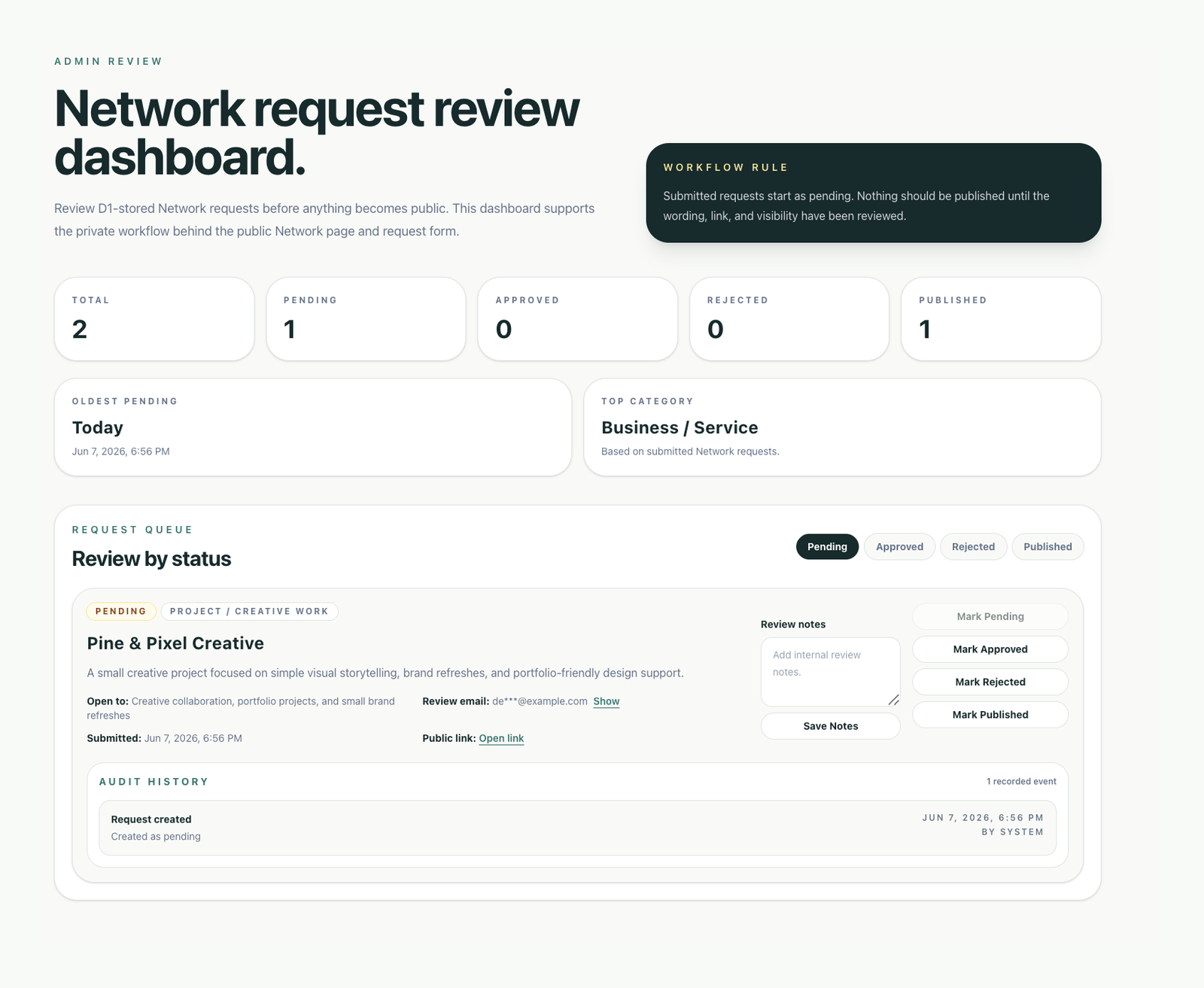
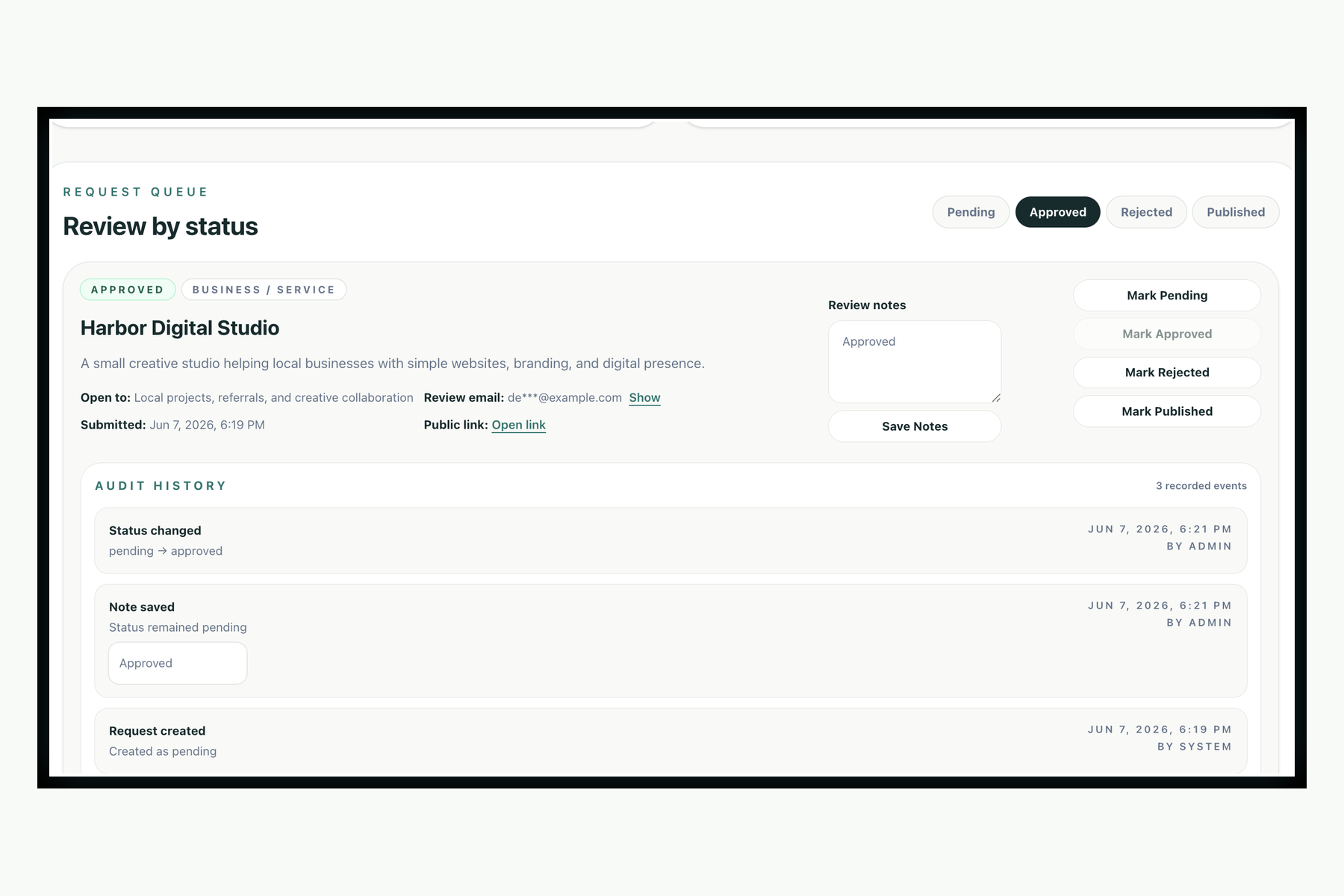
A private review dashboard shows pending, approved, rejected, and published requests with category metrics, review notes, status actions, and masked contact details.
Request creation, note saves, and status changes are written to an audit table so review decisions remain visible over time.
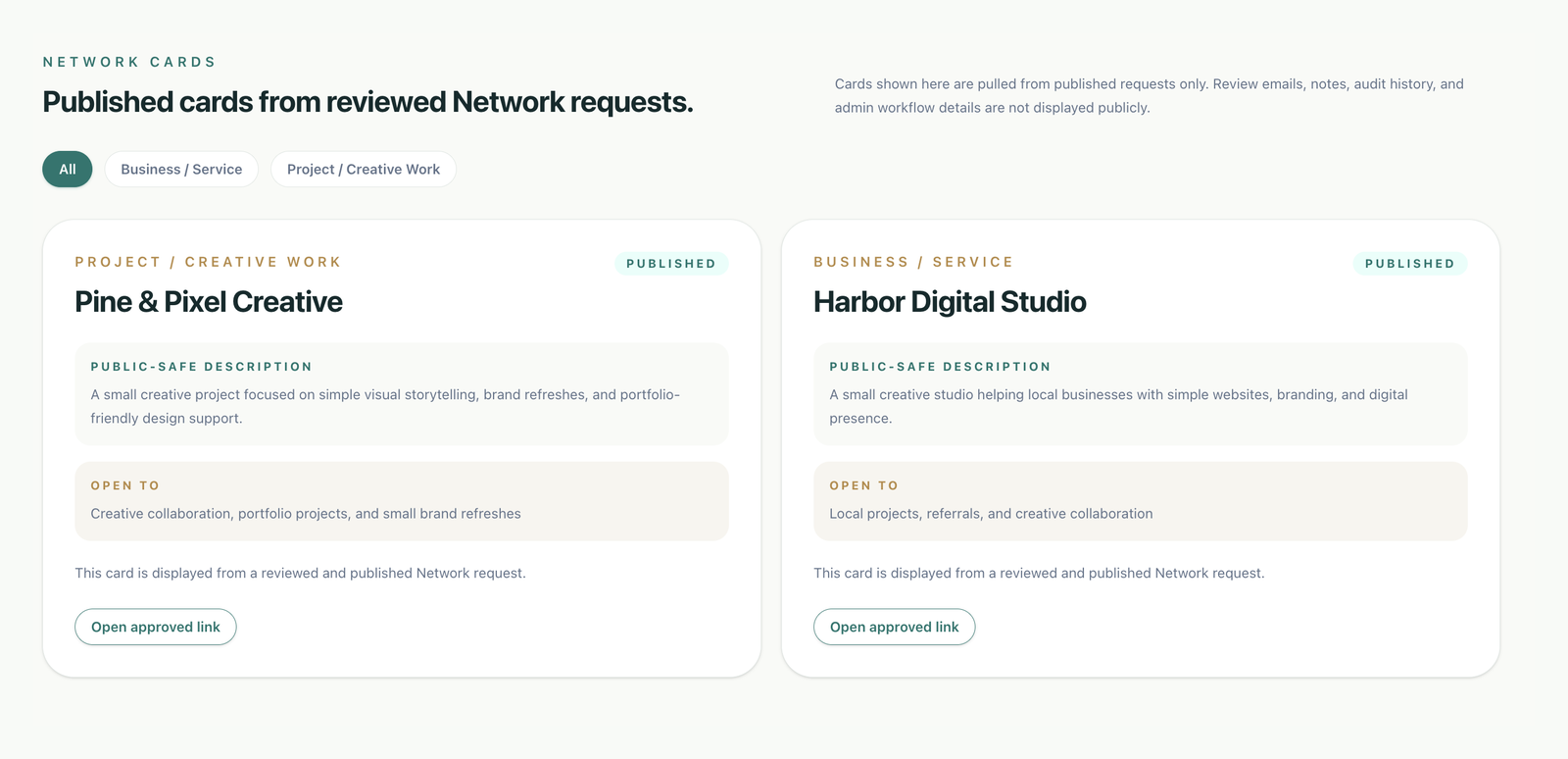
Published requests are made available to the public Network page while review emails, notes, and audit records remain private.
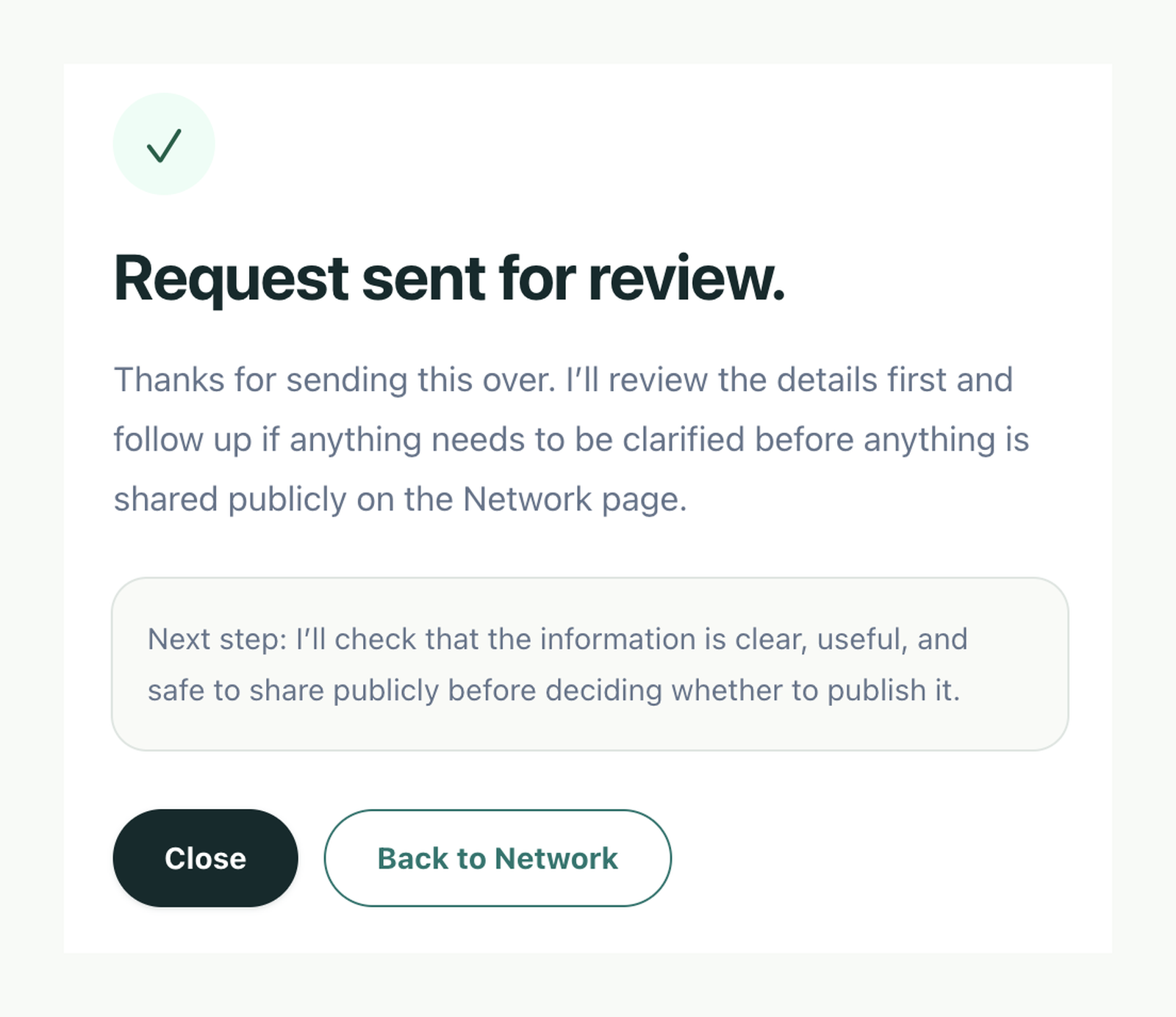
A Resend notification email is sent to the admin when a new request is stored, while the submitter sees a confirmation dialog explaining that the request was received for review and nothing was published automatically.
Process Chart
This turns the request flow into more than a form. Each step adds a control: collect only what is needed, check the request, limit access, track decisions, and publish only safe public details.
Submit
Public form collects only the fields needed for review.
Validate
Server-side checks enforce required fields, categories, email format, HTTPS links, size limits, honeypot checks, and Turnstile verification.
Store
Validated requests are written to D1 as pending so user-submitted content never publishes automatically.
Notify
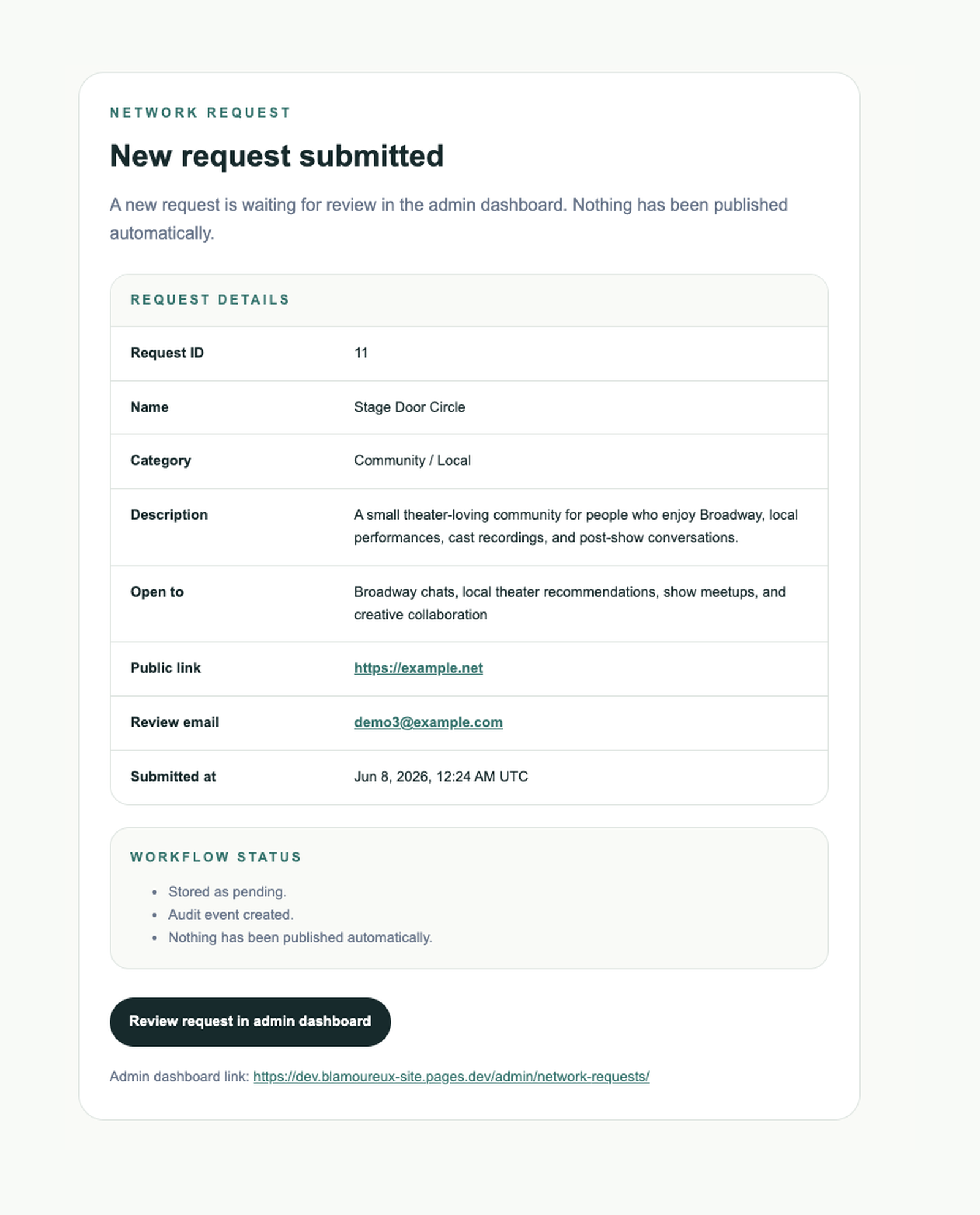
A formatted admin email creates a clear review signal with a stable dashboard link.
Review
Admin review stays behind Cloudflare Access, while contact details, notes, and audit records remain private.
Audit
Request creation, note saves, and status changes are recorded so decisions are explainable over time.
Publish
Only reviewed, published, public-safe fields are exposed through the public Network page.
Workflow Screenshots
These screenshots use demo data to show the full lifecycle without exposing private review details or real submitter information.
Public Intake
Acknowledgment
Notification
Private Review
Governance
Published Output
Security Controls
Data Model
network_requests
Stores the current request state, including status, public-safe details, review email, latest note, and submitted timestamp.
network_request_audit
Stores historical workflow events such as request_created, note_saved, and status_changed with previous status, new status, timestamp, actor, and note details.
Access Protection
The admin dashboard and development preview routes are protected with Cloudflare Access. Public visitors can still view the Network page and request form, while private review workflows remain restricted.
Notification Workflow
After a request is validated, stored, and audited, a non-blocking Resend email notification alerts the admin that a new request is waiting. The email includes request details, workflow status, and a stable dashboard link back to the protected admin review page.
Admin Dashboard
The private dashboard shows what is waiting for review, what has been approved or rejected, and what has been marked for publication. Review notes and audit history help explain how a request moved through the workflow, while published requests feed public-safe cards on the Network page.
What This Demonstrates
Technology
Workflow Summary
The core lifecycle connects public request intake, D1 storage, audit history, admin review, email notification, submitter confirmation, published status, and public-safe Network card display.
Public-Safe Output
The public Network page only receives approved display fields. Internal review data stays behind the admin workflow.
Related Work
The project case study connects to the live Network page, request form, and dashboard view of workflow metrics.